| Page | Audit Score | GEO Readiness | Citations | Actions |
|---|
MIRA
Your AI Research Agentic Platform
Waking up…
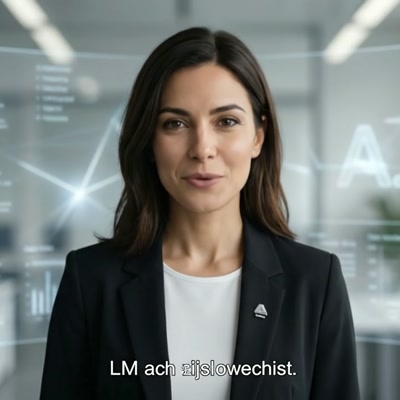
Hi, I'm Mira — CEO of your Research Team.
I lead a team of specialized AI agents, each an expert in their own domain. Together we research companies, monitor media, detect trends, find contacts, and synthesise knowledge — so you don't have to.
Ask Mira
I answer questions about every tool on the platform
🔨 Forge · Data Collection
🌍 Terra · GEO
📡 Orion · Trends
📖 Lyra · Stories
📰 Iris · Press
📥 Export

Rex
The Dispatcher :8000The backbone of this operation. Every request, every byte, every health-check routes through me.
Checking…
Rex aggregates the health of every service on the platform. Refresh re-checks them live; a service marked DOWN is not reachable and its tool will fail until it is back.
9
Services
–
Online
–
Offline
–
Uptime %
Live Service Status

Nova
The Analyst :8001Your research powerhouse. Feed me a company, a domain, a person — insight dense enough to fill a boardroom.
Checking…
Nova runs a focused research pass on a single company and returns one row per datapoint. Depth controls how many sources it reads — higher depth costs more and takes longer.
Research Query
3
Response
No research run yet
Enter a company on the left, pick a focus and depth, then start the research — the datapoints appear here.

Duo
The Identifier :8002The deduplication specialist. Find the hidden twin, merge the fragments, return clean unified data.
Checking…
Duo finds the same entity across two files. Upload a master and a secondary file, map the columns that describe the same thing, then run the match and export the pairs.
Upload
Map Columns
Run
Results
Master File (A)
Click to upload or drag & drop
CSV, XLSX
Secondary File (B)
Click to upload or drag & drop
CSV, XLSX
No files uploaded yet
Choose a master file and a secondary file above, then upload them so Duo can detect the columns.

Iris
The Reporter :8004Your media intelligence layer. Scanning thousands of sources, surfacing what matters, discarding the noise.
Checking…
Iris monitors media coverage for a topic, scores every article for relevance and answers questions about what it found. Create a project first, then run a scan.
Loading projects…
New Clipping Project
About Press Clipping
Monitor media coverage across regions with AI relevance scoring and conversational Q&A.
- Multi-region coverage (DACH, EU, Global)
- AI relevance scoring with configurable threshold
- Conversational Q&A over discovered articles
- Export: CSV, XLSX, PDF report

Terra
The GEO Strategist :8003Measuring how AI platforms see your brand, tracking citations, uncovering why competitors outrank you.
Checking…
Terra measures how AI assistants describe your brand. Pick a brand, run an analysis, and compare your visibility and citations against your competitors.
Overview
Monitoring
Analysis
Content
Settings
Select a brand to see its AI visibility dashboard
or
Prompts Monitoring
API mode activeRuns use configured provider keys. API costs and API history are shown below.
API Mode
FAST
Sends prompts directly to LLM APIs (GPT, Claude, Gemini, Mistral). Uses your configured provider keys.
Fast (~1000 prompts/min)
Reliable & scalable
Sentiment & brand analysis
No real citations/URLs
Costs per token (API fees)
May differ from user-facing output
Browser Mode
REAL
Runs prompts on actual AI platforms (ChatGPT, Perplexity, Gemini) via headless browser. Captures what real users see.
Real citations & source URLs
Exact user-facing output
No API keys needed (free)
Slow (~200–500/hour per platform)
Rate limits & anti-bot measures
Requires Playwright on server
Citations
Top Domains Cited
By Domain
| Domain | Owner | Brand Mentions | Comp. Mentions | Topics | Prompts | Responses | Consistency | Influence |
|---|---|---|---|---|---|---|---|---|
| Select a brand and load citations | ||||||||
Insights
Thematic opportunities to improve how your brand is represented by AI platforms.
Optimization opportunities by category
Loading…
Competitors
Add Competitor
No competitors yet
Add a competitor above, or run a brand analysis and Terra will suggest the ones AI engines already mention.
AI Visibility Comparison
Loading…
Where competitors win (queries you miss)
Loading gap analysis…
Trends
AI Visibility Rate Brand mentions / responses
Sentiment Mix Classified responses
Priority Topics
Loading priority topics…
AI Bot Crawlability
Loading crawlability data…
Technical Readiness Matrix
No readiness data yet
Hit Refresh to score this domain against the technical GEO checklist.
llms.txt
llms.txt not checked yet
Hit Refresh to fetch /llms.txt from this domain and validate it.
AI Context
Brand
Basic information about your brand used by AI platforms.
LLM Providers for Monitoring
Add one or more LLM providers. All enabled providers are used when running prompts — the more providers, the broader the AI visibility coverage.
Loading…
Add Provider
Customer Personas
Loading…
Key Topics
Loading…
New Brand
Your Brands
Loading…
Site —
Last Crawl —
Your plan includes crawling up to 100 pages per site.
Loading pages…

Forge
The CollectorI'm Forge — the data collector. Upload a list, choose a mode, and I'll find contacts, enrich profiles, or discover images at scale. Three pipelines, one relentless agent.
Contacts :8005
Enrichment :8006
Images :8009
Forge runs three pipelines behind one agent. Choose a mode below — find contacts, enrich a company list, or discover images — then upload the list it should work from.
Contact Finder
Find decision-makers (name, email, phone) for a list of companies. Upload a CSV with company names — get verified contacts by role.
Use when: You need specific people at target companies
Data Enrichment
Add missing data to your company list — revenue, employee count, CEO, industry, or any custom field. AI searches the web for each entity.
Use when: Your CRM data is incomplete or outdated
Image Discovery
Find brand logos, product images, and visual assets for a list of URLs. Extracts, scores, and classifies images by type and quality.
Use when: You need visual assets for brands at scale
How it works:
Upload a CSV/XLSX with company names (and optionally domains). Select which roles you’re looking for — Forge will crawl the web to find verified contact persons with email and phone for each company.
Upload Company List
Click to upload or drag & drop
CSV, XLSX — company name & domain columns
Select a file…
Results
No contacts yet
Upload a company list, pick the roles you need and start the run — results land here.
No contact runs yet
Every contact search you start is kept here so you can re-download its results.
How it works:
Upload your company list, then define which data points you need (revenue, employee count, CEO, etc.). Kai will search the web for each company and fill in the missing columns. You can also enrich a single entity manually.
Upload File
Click to upload or drag & drop
CSV or XLSX — each row is one company / entity
Select a file…
Preview
No enriched rows yet
Upload a file, choose the fields to fill and start the run — the preview appears here.
Input Entity
The company is looked up by name in the sources you pick below.
Data Sources
Loading projects…
Enriched Profile
Select sources and enrich a company…
No enrichment runs yet
Start an enrichment run and it will be listed here with its results.
How it works:
Upload a CSV/XLSX with company names and website URLs. Forge crawls each site, discovers logos and brand images, scores them by quality, and returns the best assets per entity — ready for download.
Upload URL List
Click to upload or drag & drop
CSV or XLSX — requires name & url columns
Select a CSV/XLSX file…
Results
No images yet
Add the URLs or brands you want visuals for and start the search.
No image runs yet
Every image discovery run you start is kept here so you can revisit its gallery.

Lyra
The Writer :8007Raw data has no voice. Transforming research and data into polished reports and compelling narratives.
Checking…
Lyra turns a topic and your research into a written report. Create a project with a topic, length and style, run it, then download the finished PDF.
No reports yet
Open the New Report tab to give Lyra a topic, a length and a style.
New Report
Workflow
- Create a report project with topic & parameters
- Click Run to start AI generation (async)
- Monitor progress in the event feed
- Download the finished PDF report

Orion
The Scout :8008The trend scout. Scanning market signals, social data, and emerging patterns before they hit mainstream.
Checking…
Orion scans seven signal channels for topics gaining momentum around a brand or market. Create a scan, run it, then filter the detected trends by phase and urgency.
No scans yet
Open the New Scan tab and give Orion a brand URL or a topic to watch.
New Trend Scan
How Orion detects trends
Step 1 — Signal sources (7 channels)
News
Reddit
LinkedIn
YouTube
Blogs
Podcasts
Science & academia
Step 2 — Analysis pipeline
1
Cluster analysis
Group signals semantically and drop duplicates
2
Velocity
Measure signal growth — how fast is the volume rising?
3
Novelty-Check
Filter out permanent evergreen topics, keep only what is new
4
Cross-source validation
Triangulation — a trend must appear in ≥ 3 sources
5
AI Chain-of-Thought
The model scores each trend, rates its confidence and drafts recommended actions
Step 3 — Competitor intelligence
Auto-detection from the platform URL
Crawl: Homepage + Blog + Newsroom
Detect social media profiles
Gap analysis: what is still uncovered?
Trend badges explained
🌱 Upcoming
Just emerging — momentum is building, not yet mainstream
🔥 Hot Trend
Growing fast or peaking — the first-mover window is closing, act now
📉 End of Life
Declining — the topic is losing relevance, invest your resources elsewhere
No conversations yet
Ask Mira something below and the thread will be saved here.
MCP Server
No MCP servers connected yet
Mira Chat
CEO · Your AI research assistant
Online
Clocky
The Timekeeper :8015The timekeeper. Reads your Outlook calendar, matches every meeting to the right Clockodo project and books it — once.
Checking…
Clocky turns the meetings in your published Outlook calendar into Clockodo time entries. Your calendar link, Clockodo profiles and preferences are saved to your Mira account — set them up once, then book a week in four steps.
Pick the period
Which days should be read from your calendar?Your profiles
One profile per company you book time for. Only you can see them; API keys are stored encrypted.
New profile
In Clockodo: your name (top right) › Personal data › API key.
Outlook calendar
The calendar.html or calendar.ics link. The link grants read access to your calendar, so it is stored encrypted and never shown again.
How do I get this link?
- Open Outlook on the web (outlook.office.com) — the desktop app cannot publish a calendar.
- Click the gear icon › Calendar › Shared calendars.
- Under Publish a calendar, pick your calendar and choose Can view all details. With “Can view when I'm busy” every meeting arrives titled “Busy” and nothing can be matched.
- Click Publish and copy the HTML or ICS link into the field above.
No “Publish a calendar” section? Your organisation has switched it off — only IT can enable it. A new publication creates a new link; unpublish in Outlook to revoke it.
Booking defaults
A booking is never written twice: each entry carries a hidden reference to its calendar occurrence, and every push re-reads Clockodo first.
Matching
Below this, a job type is used instead of a project.
Meeting subjects, categories, the invitation text and your project names are sent to the selected Azure OpenAI deployment. The invitation text is the strongest clue when a subject is vague, so it is used — with the Teams and dial-in boilerplate removed first. Model answers are checked against your real projects before they are shown.
Booking history
Every push to Clockodo from your account. Previews are not listed.
Athena
The Researcher :8010The literature researcher. Crawling PubMed, Europe PMC, Ärzteblatt for relevant studies and evidence.
Checking…
Athena searches scientific and medical literature by domain. Run a quick search, then curate the results, export a PDF, or ask her about the publications in the chat.
Literature Search
Sources (Health)
PubMed / NCBI — biomedical literature (API)
Europe PMC — European publications
Ärzteblatt — German medical news
Helmholtz — via Europe PMC affiliation
Max Planck — via Europe PMC affiliation
Charité — via Europe PMC affiliation
RKI / DKFZ — via Europe PMC affiliation
No past searches
Run a quick search on the Quick Search tab and it will be stored here.
Choose context
Athena answers questions straight from the publications in your search.Examples:
• “Which studies support claim X?”
• “Compare the results”
• “Are there contradictions?”
• “Summarise the key findings”

Oracle
The Grounding Engine :8011Sell grounding-as-a-service. Create endpoints backed by your knowledge bases, issue API keys to customers, and track every token consumed — with markup.
Checking…
Oracle turns your knowledge bases into grounded API endpoints for customers. Create an endpoint, issue API keys, and every token consumed is tracked and billed with your markup.
No endpoints yet
Create an endpoint to expose one of your knowledge bases as a grounded API for customers.
Oracle Playground
Select an endpoint above and ask questions to test grounding, citations and RAG responses.
Configure LLM provider API keys for Oracle. Each endpoint can use a specific provider or fall back to manual settings.
Configure MCP servers once and link them as data sources in endpoint detail views.
Create Grounding Endpoint
Select one configured provider account from the Providers tab.
How Oracle Works
1. Create an endpoint — give it a slug (e.g. acme-support) and an optional system prompt.
2. Upload knowledge — add a collection and upload .md or .txt files. Oracle chunks and indexes them.
3. Issue API keys — generate one key per customer. Each key tracks its own token consumption and cost.
4. Customer calls — POST /grounding/<slug> with Authorization: Bearer <key>
5. Track & bill — view exact token counts, Azure cost (€), and your charge per API key.
Global vector collections powered by Weaviate. Create collections, upload documents, then link them to endpoints as data sources.
Azure OpenAI Cost Reference (EUR)

Artemis
Competitor Intel :8014Give me a product and a region and I'll search for competitors in the landscape.
Checking…
Artemis finds the competitors for a product in a region, then enriches each one with the columns you define. Pick a mode below to start.
Active
Competitor Scouting
Give me a product and a region — I'll search the web and extract competitors in that landscape.
Use when: You need the "who" — a first list of market players
Research & Enrich
Define the columns you need as a reusable template, then run deep per-company research to fill an Excel report.
Use when: You already have companies and need structured datapoints
Loading…
New Competitor Search
About Artemis
Discover competitors for any product category in any region using live web search and AI extraction.
- Multi-query Brave Search coverage
- AI extracts named companies from scraped pages
- Deduplication across sources
- Full source list per search
How it works:
Define the columns you need as a reusable template, then hit "Run Enrichment" on a completed search (Scouting tab) to research every column for every company. Track progress and results here.
Templates
Loading…
New Template
No enrichment runs yet
Pick a template and a company list on the Research & Enrich tab to start your first run.

Lexa
The Proofreader :8016I proofread your marketing materials: spelling, typography and brand wording. You get a PDF with comments at each finding and an Excel overview of the corrections.
Checking…
Loading…
New proofreading project
0/5000 characters
Quality Management
Every tool failure, grouped — plus what users reported themselves
Incidents are captured automatically: every call the UI makes to a tool passes through the platform proxy, and each failure is grouped by tool, route and status so one broken endpoint is one row. Sign-in failures (401/403) are excluded as normal churn. User reports come from the "Report a problem" widget.
Platform Administration
Manage users, agents and platform settings
Add New User
My Profile
Manage your account settings
Profile Picture
Account Information
Change Password
At least 12 characters, with uppercase and lowercase letters, a number, and a special character.